Opentak ICU
Opentak ICU is an open-source application that allows live video streaming over a media network to a media server or a local network. Through the media server, video sharing beyond the local network is made possible.
Video can be streamed either from the device's built-in camera or from an external camera that supports the USB-UVC protocol.
Available:
https://github.com/brian7704/OpenTAK_ICU
Basic view
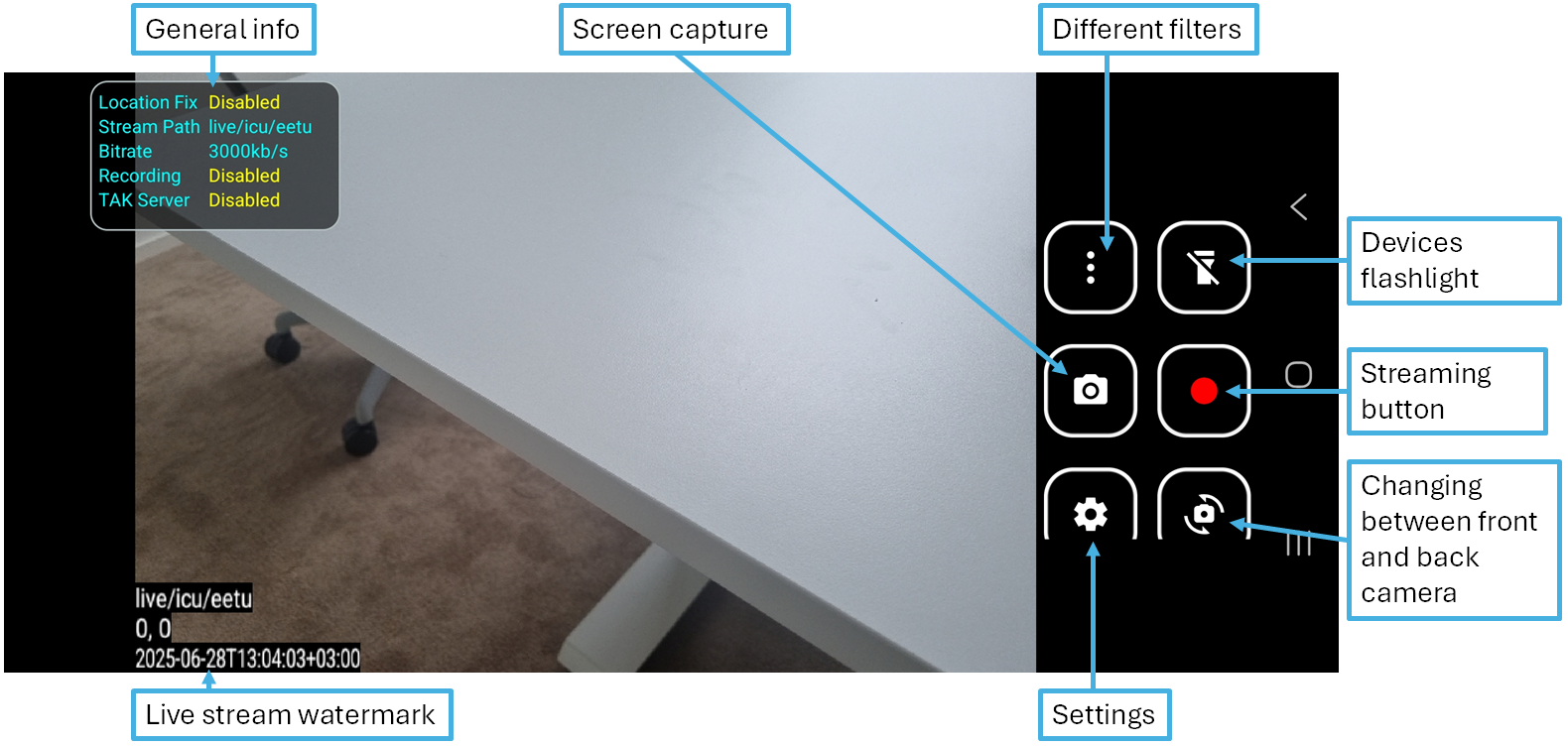
Streaming Instructions
- Configure the settings
- Streaming Settings
- Video Settings
- Audio Settings
- In the main view, press the "Record" button to start streaming.
- Press the "Stop" button to stop streaming.
Basic Settings
- Streaming Settings
- Enable the "Stream video" option
- Select Stream Protocol: "RTSPS"
- Enter the stream destination address: "canadian-goose.pvarki.fi"
- Enter Stream Port: "8322"
- Enter Stream Path: "live/icu/callsign" (your own callsign)
- Enter Username: your username
- Enter Password: your password
- Select "TCP" as the transport mode
- Video Settings
- Select Video Source: "This device"
- Select Resolution: "720 x 480"
- Enter Bitrate: "3000"
- Enable "Adaptive Bitrate"
- Select FPS: "15"
- Select Codec: "H264"
- Disable "Record"
- Enable "Text Overlay"
- Audio Settings
- Disable "Enable Audio"
If desired, you can adjust the streaming protocol, codec, resolution, FPS, or audio transmission, but with these basic settings you will achieve a stable and reliable streaming experience.
Settings:
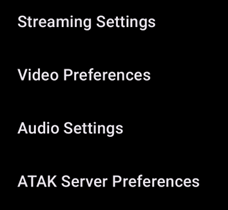
Basic settings menu.
Streaming Settings:
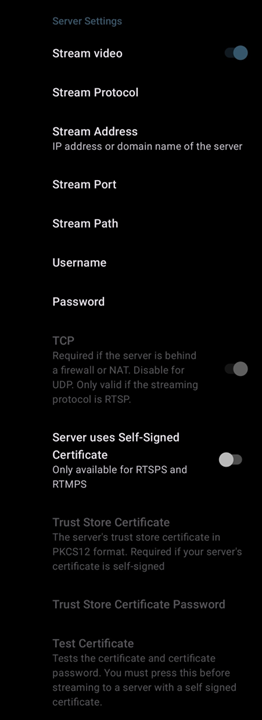
Settings related to streaming, such as the destination of the stream and the protocol being used.
Video Settings:
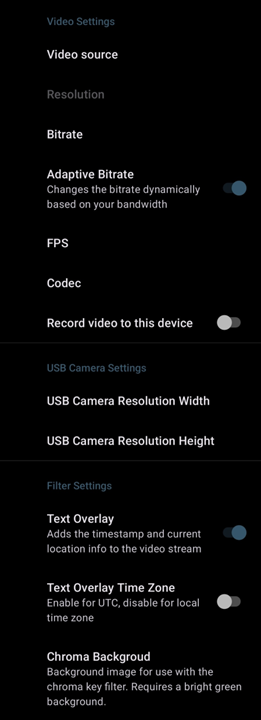
Settings related to the video stream, such as whether the device's internal camera or an external helmet camera is used, the selected FPS or codec, and whether the transmitted video displays the callsign, location, and time.
Audio Settings:
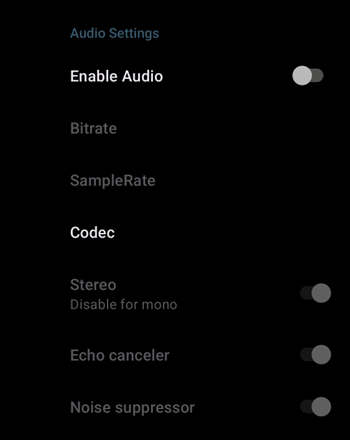
Settings related to the audio stream, such as whether it is enabled, which codec is used, and other audio parameters.
TAK Server Settings:
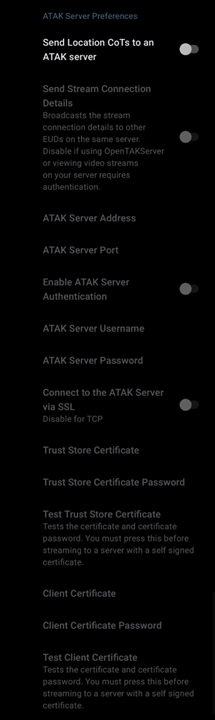
Settings for sharing the stream with the TAK server — Opentak ICU can connect to a TAK server, transmit the user's location information, and share a video link with other users.
Supported streaming protocols and codec's
| Streaming protocols (port) | Video Codec | Audio Codec |
|---|---|---|
| RTSPS (8322) | H264 | AAC |
| RTMPS (1936) | H265 | G711 |
| SRT (8890) | AV1 | OPUS |
| UDP | – | – |